Vibe Coding Gone Wrong: How I Spent a Week Teaching AI to Cut Plywood (and Almost Lost My Mind)
CutEase now features Cut Line Visualization and support for Guillotine logic. But to get here, I had to spend a week fighting with an “intelligence” that couldn’t figure out which way was up.
In my previous posts, I raved about how easy and fun it is to write code with AI (“Vibe Coding”). You describe the idea, the AI writes the code. Magic, right?
Well, this week, the magic ran out.
I decided to add a critical feature for woodworkers to CutEase: Cut Line Visualization. I didn’t want just a static map of parts; I wanted red lines drawn on the canvas showing the master exactly: “First you make this long rip cut here, then you cross-cut here.”
The task seemed simple: explain the concept of a “Guillotine Cut” (where every cut must go from edge to edge) to the algorithm. Spoiler: it took a week of pain and experimentation.
The Problem: AI Flunks Geometry Class
It turns out that Large Language Models (LLMs) are great at writing poetry or styling buttons, but they have absolutely zero spatial awareness. To them, x and y coordinates are just numbers, not physical positions on a sheet of plywood.
I tried to explain a simple concept: “Merge these short cuts into one long cut.” It’s logical, right? If you have three parts in a row, you don’t cut them individually; you make one long pass with the saw.
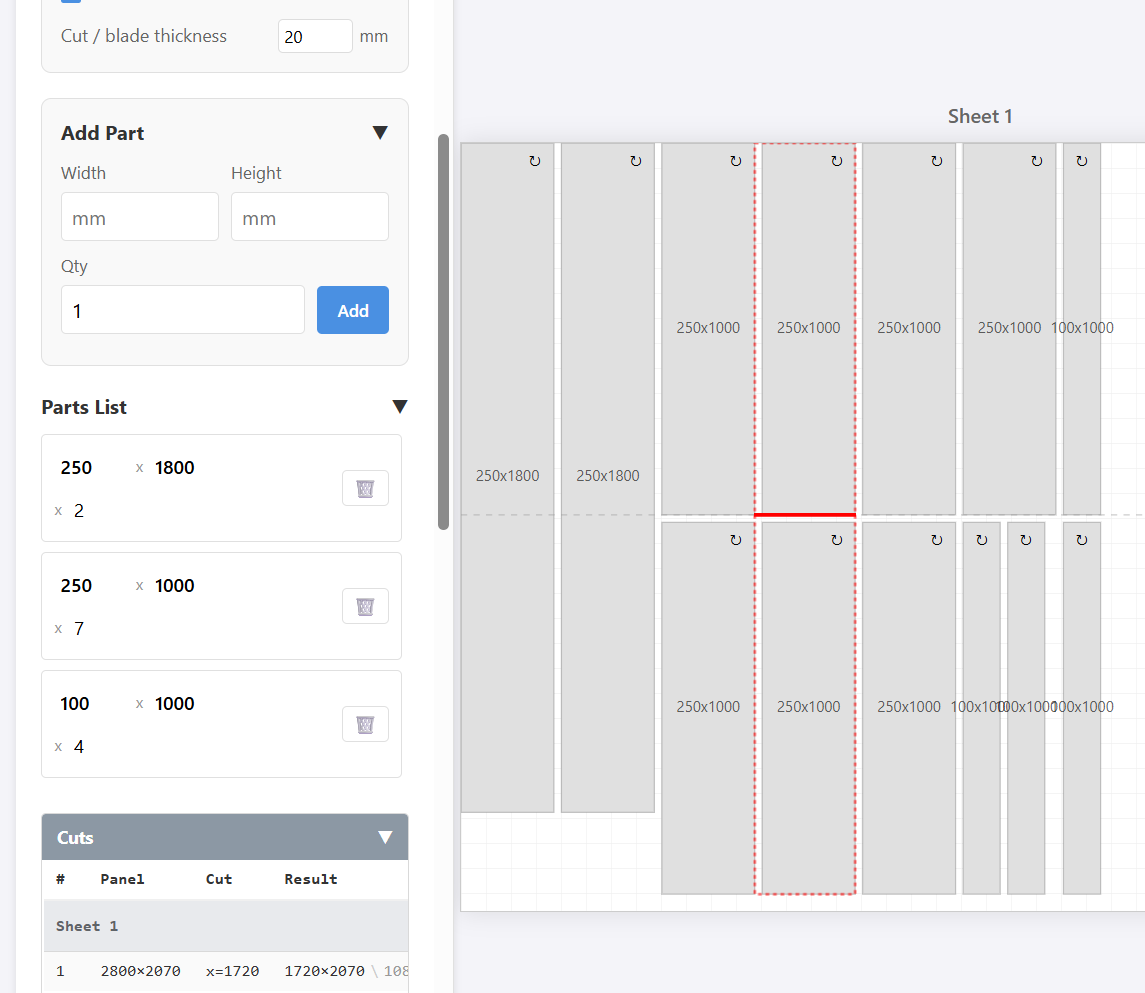
What the AI did: Instead of extending the cut line, it would just… rotate the parts. Me: “No, leave the parts alone! Just draw the line longer!” AI: “Understood. I have rotated everything 90 degrees.”
The Pendulum Effect
The hardest part was battling the context window. It felt like talking to a very diligent but incredibly dense intern:
- I say: “In this specific spot, a horizontal cut is optimal.”
- The AI happily rewrites the entire algorithm so that ALL cuts become horizontal. The vertical ones simply vanish.
- I say: “Bring back the vertical cuts, I need those too!”
- AI: “Okay. Now there are ONLY vertical cuts.”
And so it went, round and round. It couldn’t grasp the nuance of “do this here, but do that there.” It simply cannot do complex algorithms.
The Toolbox (And What Failed)
In an attempt to solve this, I threw everything I had at the problem:
- Claude 3.5 Sonnet & Opus: These performed the best of the bunch, but they were the main culprits behind the “horizontal vs. vertical” pendulum swings.
- Kilocode: I tried this new free editor. The interface is interesting, but under the hood, it faces the same limitations. If the model doesn’t understand geometry, a shiny editor won’t save you.
- Free Models: A hard pass. They started hallucinating coordinates so badly that parts on the diagram were overlapping each other.
The Result: It’s Alive (Sort Of)
After a week of torture, endless prompt engineering, and manual code fixes, I managed to make it work.
In the new version of CutEase, you will see those red cut lines. The algorithm now attempts to build a logical route for your saw, merging small cuts into larger passes where possible.
Honest Warning: This feature can still be a bit glitchy. Sometimes the lines might behave strangely—those are the echoes of my battle with the machine. But it is a massive step forward compared to where we started.
Go ahead, test it out, and make some sawdust. And if you see a weird cut line—just know that was the AI trying to be “creative” again.