How I Built CutEase in a Weekend Because I Simply Wanted to Cut Some Particle Board
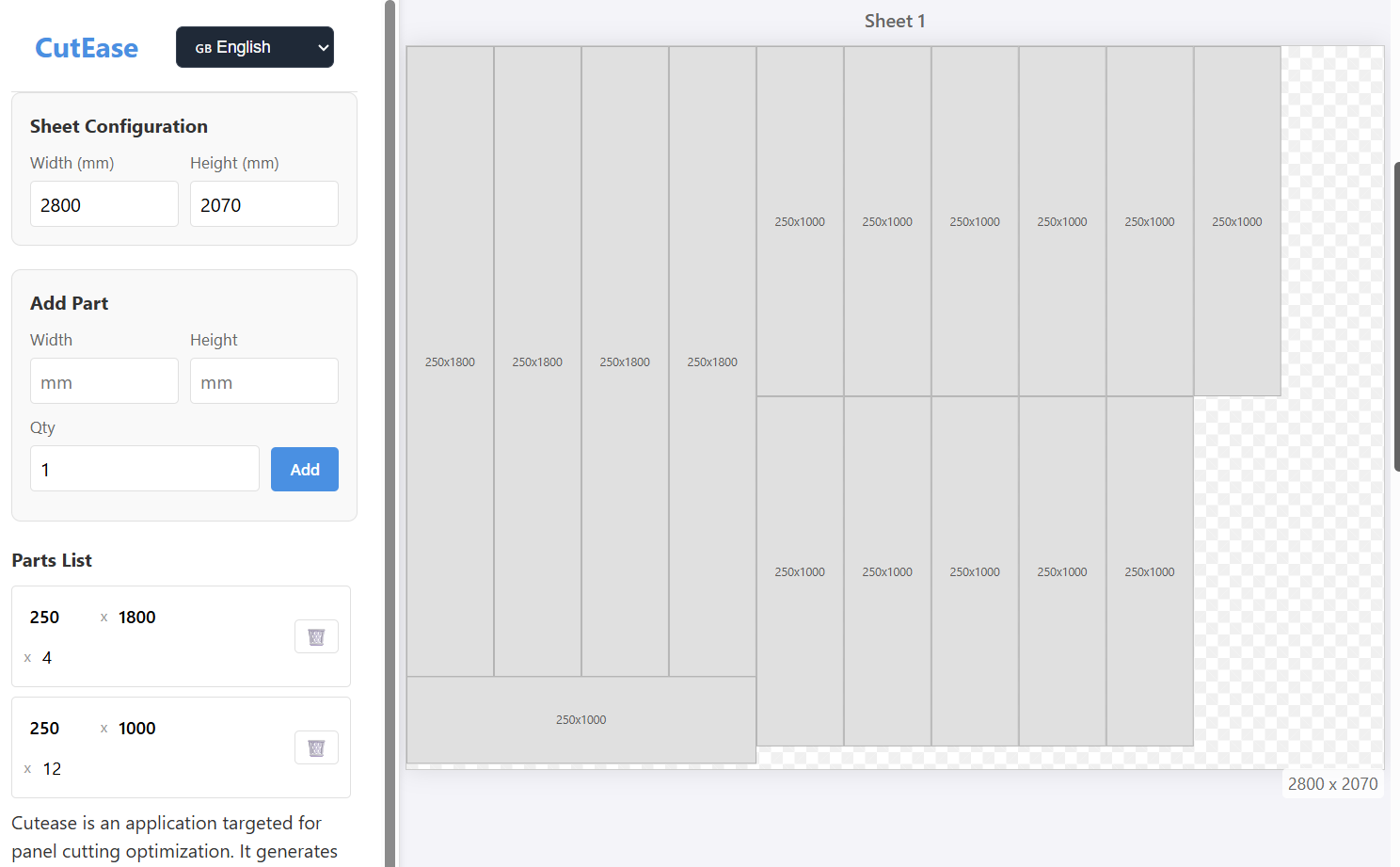
Some projects don’t start with inspiration, a business plan, or the noble desire to “make the world a better place.”
Sometimes the reason is much simpler: you need to cut a few sheets of particle board, and there’s no proper tool at hand.
My task was trivial: prepare a cutting layout for a DIY shelf project. I wanted something straightforward — enter sheet dimensions, enter the parts list, get an optimized cutting plan. No registration, no paywalls, no “your PDF will be ready in 15 minutes if you subscribe.”
Searching the web didn’t help. I found a dozen services, but every single one insisted on either selling a subscription, collecting my data, forcing me to register, or looked like it had survived several PHP migrations and one CMS catastrophe.
At that point, the project became inevitable.
A Weekend, a Code Editor, and a Strange Idea to Call It CutEase
The most productive decisions are often made on Friday evenings. In my case, it was: open the editor and sketch out a minimal working prototype:
- An input for sheet dimensions.
- An input for a list of parts.
- A cutting algorithm that actually works, rather than a random pile of rectangles that assumes you enjoy chaos and risky woodworking.
And all this built around one principle:
the user shouldn’t think about logging in, subscribing, or figuring out how to download the result.
Google Antigravity: When You Want to Speed Things Up
When you’re building something “over the weekend,” you inevitably get tempted to speed up the process with tools that your weekday self would regard with caution.
Google Antigravity turned out to be exactly the kind of technology suited for rapid UI assembly, logic testing, and avoiding infrastructure drudgery.
Practically, it allowed me to:
- prototype the interface quickly;
- test dozens of cutting layout variations without writing endless auxiliary code;
- validate the layout model on different input sets.
Where I would normally waste an entire evening, Antigravity simply removed friction and let me focus on the core logic.
What Came Out of It
Two days later the site was already running publicly:
No accounts.
No limitations.
One screen, one tool, one purpose — generate a cutting layout without wasting time.
Why It’s Worth Writing About
Because small projects like this are a good reminder that a technical itch can turn into a genuinely useful tool.
And because solving your own problem well enough often means others can benefit too.
CutEase is already indexed by Google, analytics are connected, and I’m iterating on improvements. But the foundation remains the same: minimalism, accessibility, and zero barriers for the user.
What’s Next
- Add local project saving.
- Add PDF export without watermarks.
- Run A/B testing on interface variants.
- Explore further algorithm optimizations.
- Possibly refine the mobile experience.
0 Comments on “How I Built CutEase in a Weekend Because I Simply Wanted to Cut Some Particle Board”